The 55-20-15-10 budget planner · Excel & Google Sheets
Your money,
in four.
Give every euro a job, and still know where you stand when real life gets messy. Log an expense in seconds; Quadriamo sorts it into the right bucket and shows what's left.
Free: one month to try the method, no sign-up. Works in Excel (Windows, Mac, web).
The rule
Every euro of income gets one of four jobs
Income is split automatically. Don't love these numbers? Change them in Settings: they just need to add up to 100%.
Essentials
Rent, bills, groceries, transport.
Quality of Life
Eating out, fun, gifts.
Safety Fund
A cushion for the unexpected.
Investments
Money that works for you.
Who it's for
For anyone who wants their money to have a plan, not just a balance
Students & first jobs
Build the habit early and know how much is really left each month.
Young professionals
Turn a salary into a safety fund and a monthly investment plan.
Freelancers & side gigs
Irregular income, each payment sent exactly where you want it.
Living or travelling abroad
Spend in any currency, see it in yours at the daily rate.
How it works
Set it up once. Then it's four things a row.
Pick your country
Your currency is set for you and every amount follows it. Then check the rule, your payday and your categories.
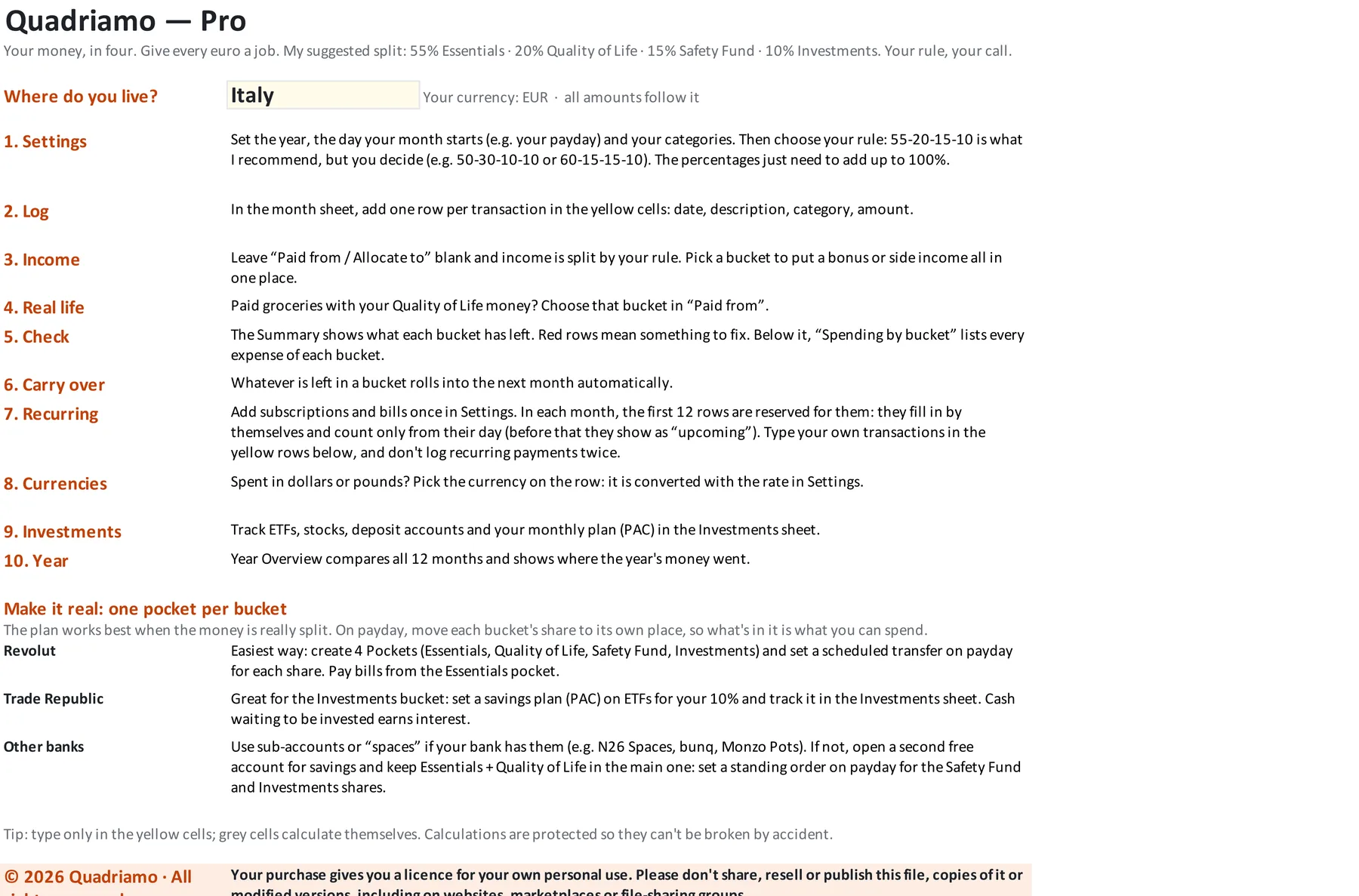
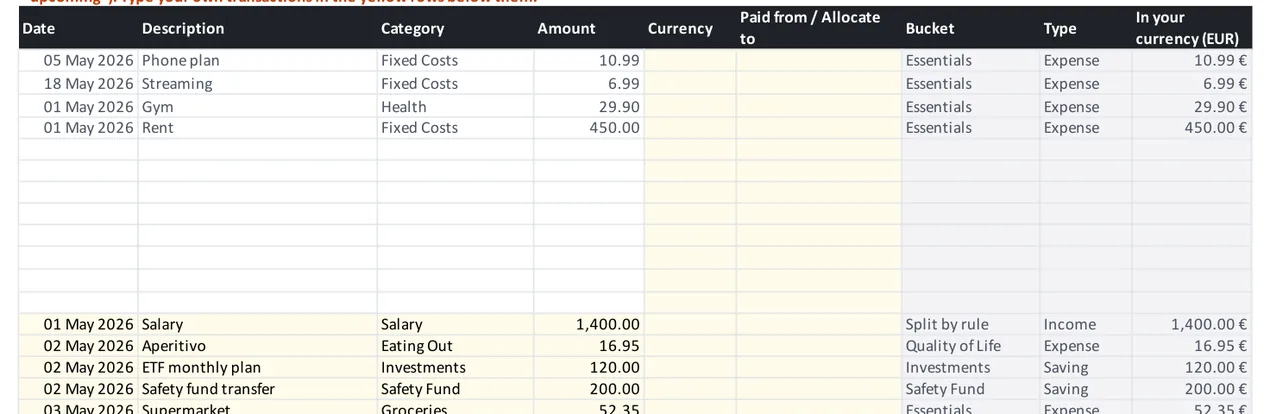
Log in seconds
Date, description, category, amount. The bucket and the type fill in on their own; recurring bills appear by themselves.
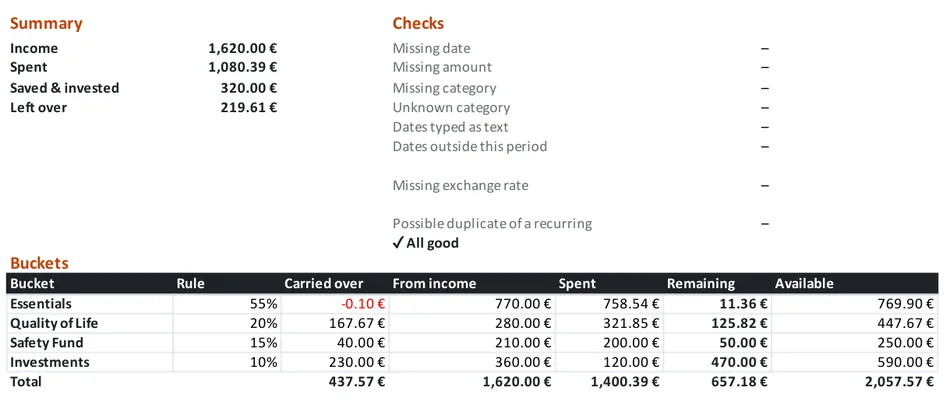
See what's left
Every bucket shows what came in, what went out and what remains. Leftovers roll into next month; the checks flag mistakes.
Built for real life
One optional column keeps the rule honest when plans change
Paid from another bucket
Big grocery run paid with your Quality of Life money? Pick that bucket in Paid from. Groceries still count as groceries; the money leaves the right bucket.
Extra income, one destination
A bonus or a freelance payment can go entirely to one bucket, like Investments. Leave it blank and it's split 55-20-15-10.
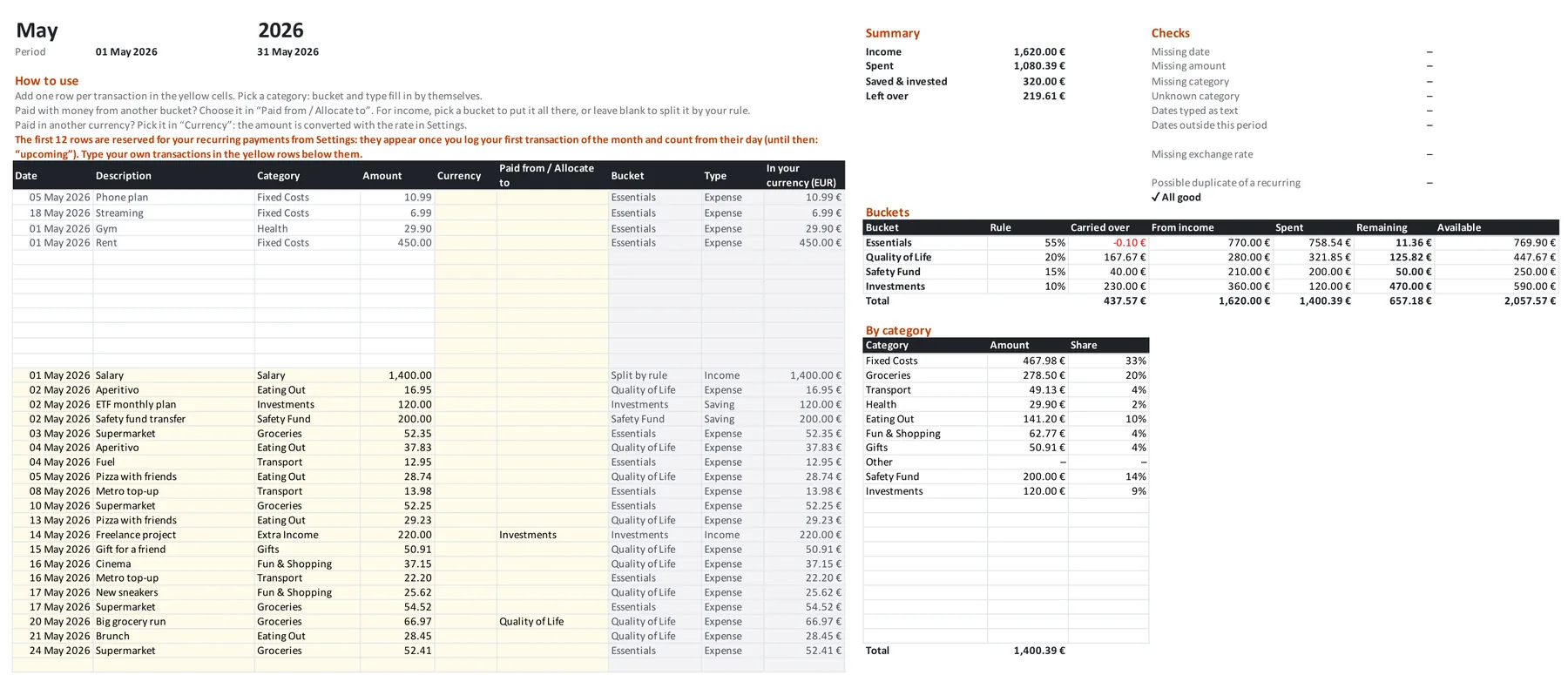
Quadriamo Pro
The whole year, your investments and every currency
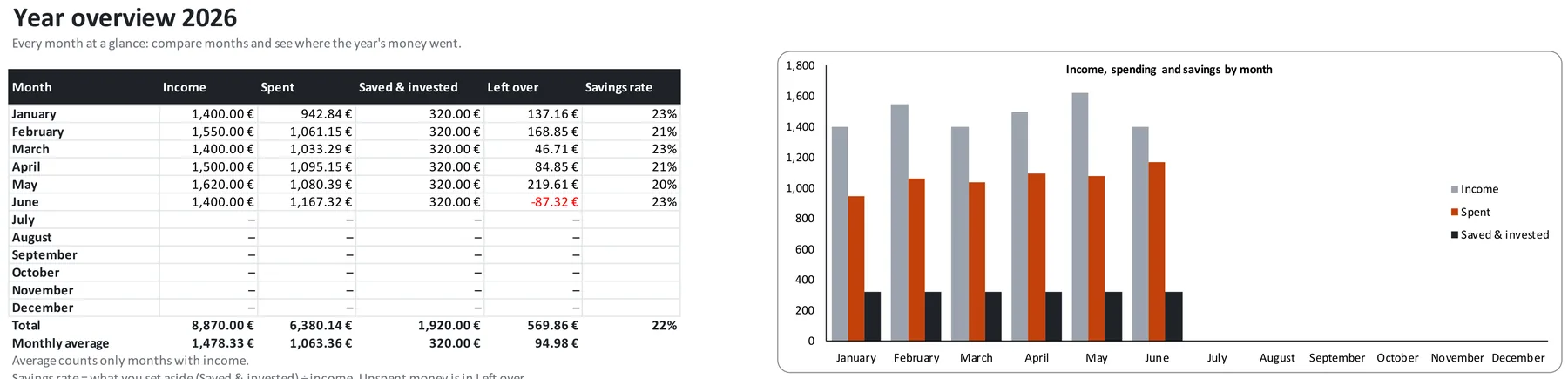
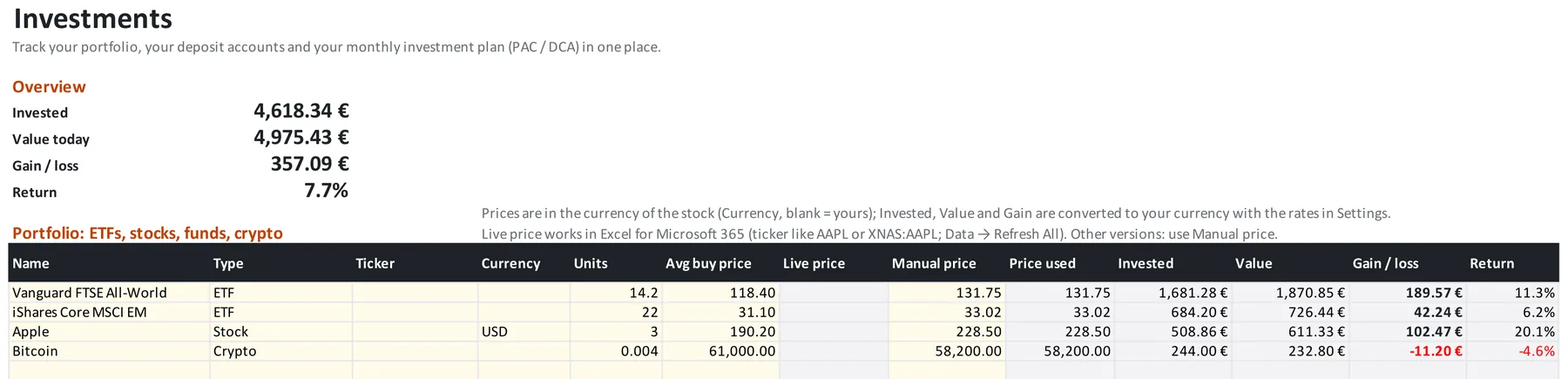
Twelve months that talk to each other, a Year Overview to compare them, and an Investments sheet for your portfolio, deposit accounts and monthly plan (PAC / DCA).
Daily exchange rates
Spend in dollars or pounds; it's converted automatically (Excel for Microsoft 365 and Google Sheets; manual rate elsewhere).
Portfolio & deposits
Value, gain and return for ETFs, stocks and crypto; interest to date on deposit accounts.
Plan vs reality
Project your monthly investing, then check each month what you actually put in.
Free and Pro
Try the method for a month, keep it for the year
| Feature | Free | Pro · €14.90 |
|---|---|---|
| Buckets, “Paid from”, built-in checks, your currency | ✓ | ✓ |
| Months · transactions per month | 1 · 40 | 12 · 200 |
| Leftovers roll over · recurring payments | — | ✓ |
| Other currencies with daily rates | — | ✓ |
| Investments, deposits, PAC / DCA tracker | — | ✓ |
| Year Overview with charts | — | ✓ |
| Google Sheets version | — | ✓ |
FAQ
Questions
Which programs does it work in?
Excel 2016 or newer on Windows and Mac, and Excel on the web. Pro also comes as a Google Sheets version you copy into your Drive with one click.
Are there macros?
No. Everything is formulas, so there are no security warnings and nothing to enable.
Can I change the 55-20-15-10 rule?
Yes. Percentages, bucket names, categories and the day your month starts are all in Settings.
Do live prices and exchange rates always update?
They update by themselves in Google Sheets and in Excel for Microsoft 365. In older Excel versions you type the rate or price once in the manual column.
Is this financial advice?
No. Quadriamo is a budgeting tool. Investment projections use a fixed expected return and are not a promise of future results.
Start free. Upgrade when it clicks.
One month to try the method. Twelve to make it a habit.